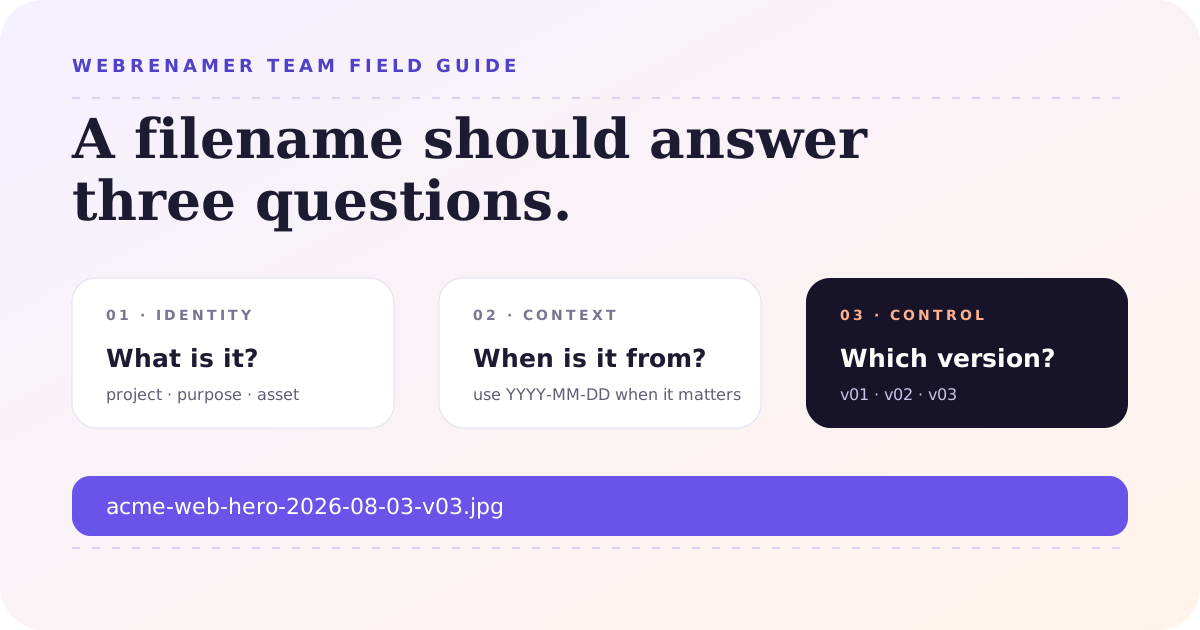
The practical default: use project-purpose-YYYY-MM-DD-v##.ext. It gives a teammate enough context to recognize the file, keeps dates sortable, makes revisions explicit, and leaves the real extension alone. Add a field only when someone can explain what decision it supports.
The argument for file naming conventions usually starts after a small failure. Someone attaches final_logo_NEW2.ai to the wrong email. A designer finds three files called homepage-final and has no idea which one went live. A report is copied into a shared folder where 03-04-26 means March 4 to one person and April 3 to another.
None of these problems needs a grand document-management system. A good team convention is smaller than that. It tells people what the important parts of a filename are, where those parts go, and what to do when the normal pattern does not fit. The best rule is the one that still gets used when the work is urgent.
1. Start with a file naming convention people can remember
Do not begin by listing every piece of metadata your team has ever stored. Begin with five real files that routinely cause confusion. Write the names people use today, then write the names you wish you had received. The gap between those two lists is your first draft.
For a small creative or operations team, this pattern is a useful starting point:
project-purpose-YYYY-MM-DD-v##.extHere are three concrete examples:
acme-web-hero-2026-08-03-v03.jpgnorthwind-invoice-2026-08-03-v01.pdfq3-campaign-brief-2026-08-03-v02.docx
This pattern is not sacred. A research group might need a specimen ID and experiment number instead of a project slug. A finance team may need an accounting period, not a calendar date. The point is to give every filename a stable shape. When everyone invents a different shape, search becomes a guessing game.
2. Choose fields that still make sense outside the folder
A filename should carry enough context to survive a download, an email attachment, or a move into an archive. It does not need to repeat the entire project brief. Pick fields that answer the questions a teammate is likely to ask when the surrounding folder is gone:
- What is this? Use a short project, client, product, or record identifier.
- What kind of thing is it? Name the purpose or asset type:
invoice,hero,meeting-notes,export. - When does the date describe? Decide whether it means capture date, reporting period, meeting date, or delivery date.
- Which revision is this? Use a version field when the file can be revised without replacing the old copy.
Put the most useful search terms first
Most people scan a list from left to right. Put the field they use most often near the front. If a team has five clients, start with the client slug. If it manages one product with many asset types, start with the asset or campaign. Do not blindly copy a convention from another department just because it looks tidy.
For example, 2026-08-03-acme-web-hero-v03.jpg is excellent when the team sorts everything by date. acme-web-hero-2026-08-03-v03.jpg is better when people search by client and project first. Both are valid. Mixing them in the same folder is the problem.
Leave volatile information out
Do not put a person’s name in every filename just because that person owns the task this week. Ownership changes. A stable project identifier survives a handoff; alex-final-report.xlsx does not. If the owner is genuinely part of the record, define a role or team code instead of relying on a person’s first name.
Likewise, do not use the filename as a miniature status board. Words like latest, approved, and final describe a moment, not an identity. If status must travel with the file, use a small controlled vocabulary and make someone responsible for updating it.
3. Treat dates, versions, and extensions as separate things
Use ISO-style dates when a date belongs in the name
Use YYYY-MM-DD: 2026-08-03, not 08-03-26. The four-digit year removes ambiguity, and the year-month-day order sorts naturally as text. Do not include a date just to make a filename look official. A presentation template may not need one; a delivery, report, export, scan, or photo usually does.
If the date represents a range, make the range explicit: 2026-07-01_to_2026-07-31. If it represents a month, use 2026-07 rather than inventing a day. If your team works across time zones, define which timezone or business date applies; otherwise two people can create different “same-day” names for the same event.
Use padded versions instead of status words
Use v01, v02, and v03. Padding keeps v09 before v10 in ordinary filename sorting. Avoid final-final, latest, and use-this-one. They are understandable when written and unreliable when the next revision arrives.
There is one important distinction: a version is not a backup strategy. Keep a source-control history, a document history, or an archived copy where the work requires it. A filename can identify a revision; it cannot restore a deleted file by itself.
Never change the extension as a naming shortcut
The extension is part of the file’s handoff contract. Renaming brief.docx to brief.pdf changes the label; it does not convert the document. Apple warns that changing an extension may stop the file opening in the application that created it. The safest team rule is simple: rename the base name, preserve the extension, and use a real converter when the format must change.
That rule also prevents accidental double extensions. If a workflow already supplies .jpg, do not append another .jpg while adding a new base name. Check a filename with a visible extension before applying a batch rule.
4. Pick a portable character set without flattening people’s names
Teams often move files between Windows, macOS, cloud drives, ZIP archives, scripts, and external vendors. A conservative character set makes those handoffs boring: lowercase letters, numbers, hyphens, underscores when they improve readability, one period before the extension, and no leading or trailing whitespace.
This does not mean every human-language name must be stripped of accents or non-Latin characters. Unicode filenames can be useful and modern systems support them. The practical question is where the file will travel. If a vendor’s import script expects ASCII slugs, give the exported asset a portable ID while keeping the human-readable title in the document metadata or project record.
Windows is the stricter boundary for a shared default. Microsoft documents that Windows file names cannot use < > : " / \ | ? *, control characters, or reserved device names such as CON, PRN, AUX, NUL, COM1, and LPT1. It also advises against ending a name with a space or period. Apple’s Finder guidance says a Mac name cannot contain a colon or begin with a period, and some apps also reject a slash.
For a team that shares files across both platforms, use this short checklist:
- Use lowercase for slugs and keep word boundaries visible with hyphens.
- Do not use reserved punctuation, control characters, or trailing spaces and periods.
- Avoid names that are only distinguished by case, such as
Report.pdfandreport.pdf. - Keep folder and filename segments short enough that the complete path remains usable.
- Do not begin ordinary team assets with a dot unless the hidden-file behavior is intentional.
These are portability rules, not a demand to make every name ugly. client-brief-中文-v02.docx may be perfectly workable when the whole workflow supports it. The important thing is that the team knows when a portable export name is required.
5. Document the convention with examples, not a policy paragraph
A naming policy fails when a new teammate has to interpret it before using it. Put the rule where people create files: in the project README, a shared folder description, a template, or the team’s onboarding page. Explain the fields in a table and give at least one good example and one bad example.
| Field | Rule | Good example | Avoid |
|---|---|---|---|
| Project | Lowercase stable slug | acme-web | Alex's project |
| Purpose | Short noun or noun phrase | hero-image | thing-for-homepage |
| Date | Use YYYY-MM-DD when relevant | 2026-08-03 | 8-3-26 |
| Version | Two-digit revision number | v03 | final-final |
| Extension | Keep the real format | .jpg | .png on a JPEG |
Also document exceptions. “All files must have a date” is less useful than “campaign assets use a date; evergreen logos do not.” A rule with no escape hatch encourages people to invent secret workarounds. Assign one owner to review the convention when the team’s storage, clients, or automation changes.
6. Roll out the naming convention in one real folder
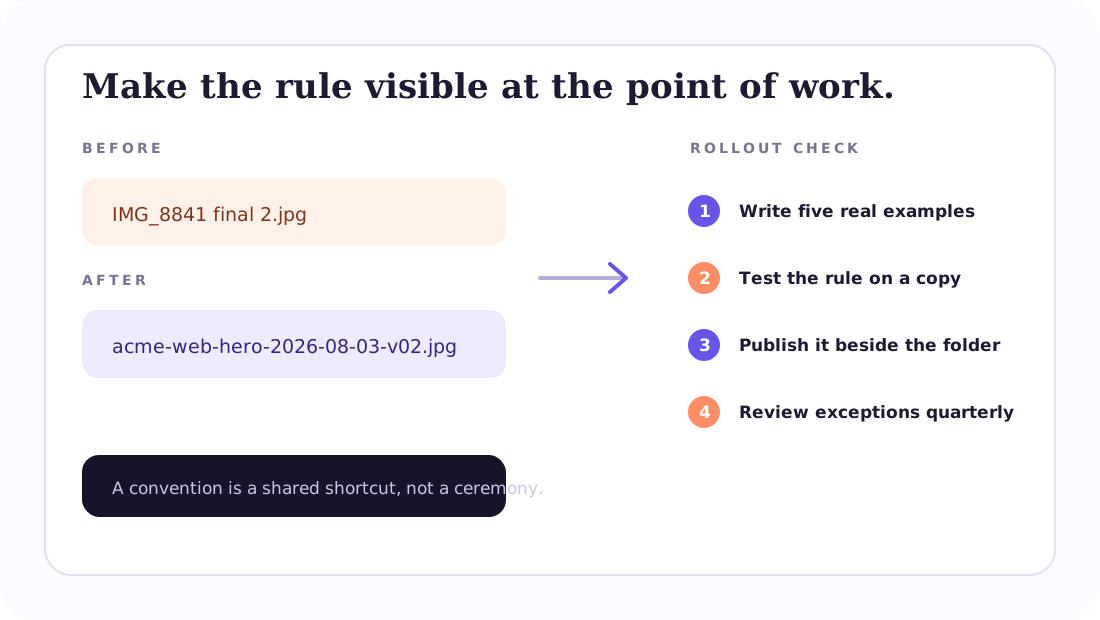
Do not announce a new standard and expect hundreds of old files to change overnight. Pick one folder that is active but not mission-critical. The rollout should expose the awkward cases before the convention becomes a mandate.
- Collect a representative sample. Include a normal file, a file with an existing version, a file with a long title, and an exception.
- Write the before-and-after list. If a proposed name is hard to understand without the folder, revise the fields.
- Test creation, search, and handoff. Ask someone who did not write the rule to find a file and send one outside the team.
- Rename the next batch, not the whole history. Apply the convention to new work first. Migrate older files when there is a reason to touch them.
- Put the examples next to the work. A one-minute reminder at the point of creation is more effective than a policy link in a company handbook.
Teams also need a decision for files that arrive from elsewhere. Do you preserve a supplier’s original name, add a project prefix, or rename every incoming file? Decide this before the first handoff. Otherwise one person will “clean up” a vendor’s names while another keeps them for traceability.
7. Clean up an existing batch without losing the originals
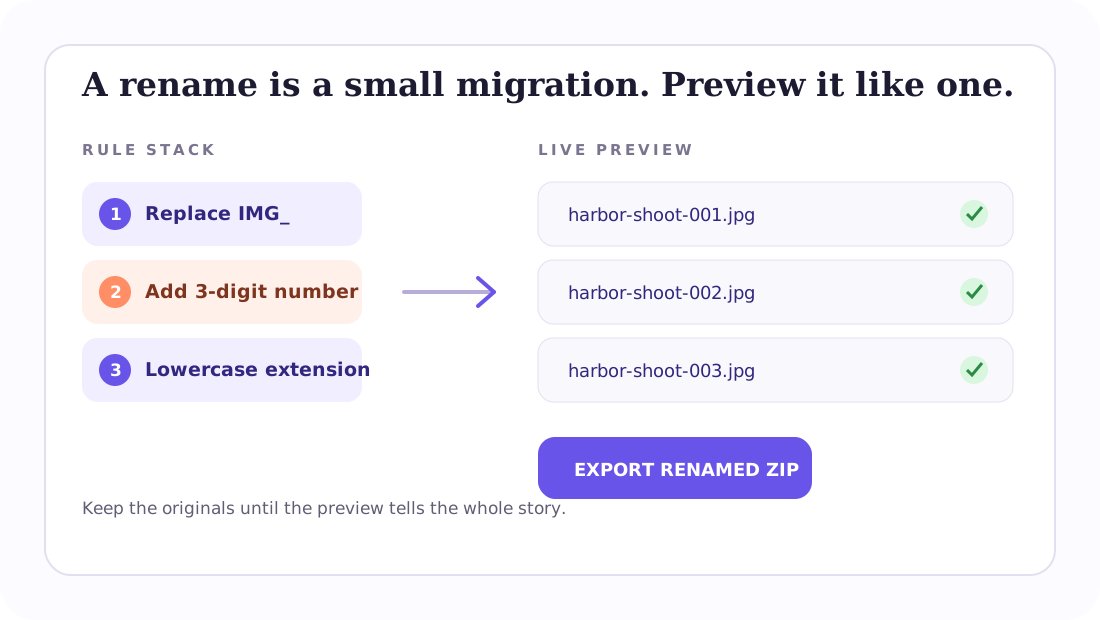
For a flat selection of files, a preview-first workflow is safer than renaming in place while you are still designing the rule. Start with a copy or a representative subset. Add one operation—such as replacing spaces with hyphens—then inspect the result before adding a prefix, date, or version.
WebRenamer’s bulk file renamer is useful for this kind of one-off migration: select the files, stack the cleanup and naming operations, and compare the original and proposed names side by side. It flags invalid and duplicate destination names before export, then downloads renamed copies in a ZIP. It does not replace a team’s folder structure or version history, so keep the source folder until the new set has been checked.
Before you export, check the first, middle, and last item in the preview. Look specifically for a missing extension, a double extension, an empty purpose field, a number that follows the wrong sort order, or two source names that collapse into one destination. The five minutes spent here is cheaper than explaining why an archive contains three different files called final.pdf.
Frequently asked questions
What is a good file naming convention for a team?
Start with a short pattern such as project-purpose-YYYY-MM-DD-v##.ext. Keep only fields that help people identify or sort the file, use fixed separators, preserve the extension, and document real examples and exceptions.
Should team filenames include a date?
Use a date when the file represents a dated event, delivery, report, export, or capture. Format it as YYYY-MM-DD so it sorts predictably. Leave dates out of evergreen files when the date adds no useful context.
Should we use “final” or “latest” in filenames?
Usually no. A padded version such as v03 is easier to audit than a status word that becomes stale. Put approval state in a project workflow when possible, or define a small controlled set of statuses if the filename must carry it.
How do we handle filenames in more than one language?
Use Unicode when the systems and people involved support it. For automated imports or uncertain handoffs, use a portable slug or record ID and keep the full human-readable title elsewhere. Do not silently remove accents or characters without checking what your team actually needs to search.
A convention should make the next file easier
Good file naming conventions are not about making a directory look uniform for its own sake. They reduce the number of questions attached to every handoff: which project, what asset, which date, which revision, and whether the file can travel through the next system without being rejected.
Start with one pattern, test it on real work, and keep the exception list honest. When you need to clean up an existing selection, use the free online file renamer to preview the change and export copies, then link the final examples from the folder where the team works. A useful convention is a quiet form of documentation: the filename explains enough before anyone has to open the file.